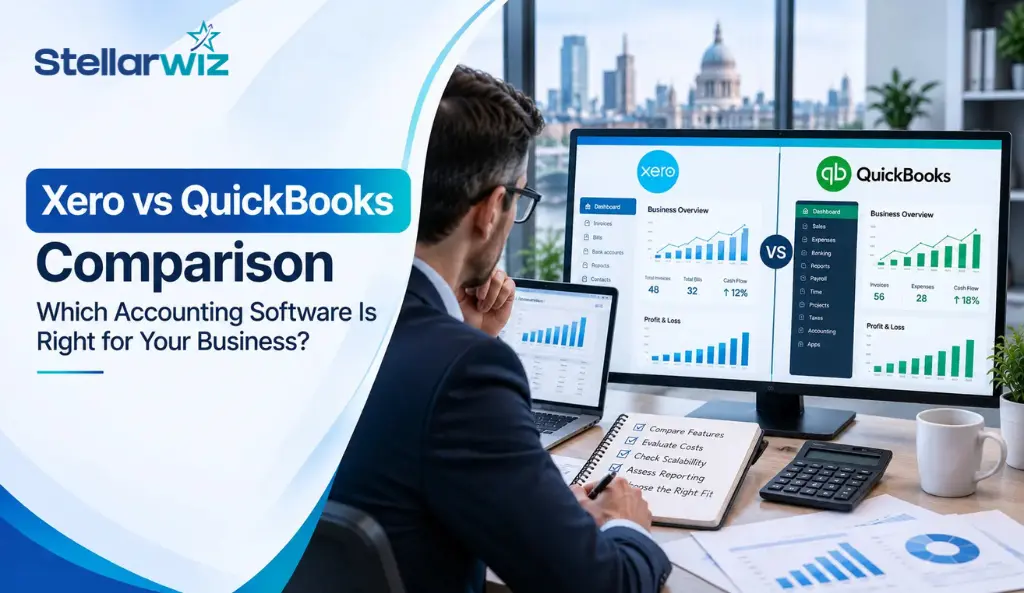
Picking accounting software isn’t just a matter of taste; it affects how easily you handle VAT, payroll, and daily bookkeeping for years to come. With Making Tax Digital for Income Tax becoming mandatory for sole traders and landlords earning over £50,000 from 6 April 2026, and the £30,000 threshold following in April 2027, more UK businesses are re-evaluating their software choice than ever before.
This Xero vs QuickBooks 2026 comparison breaks down pricing, features, and practical differences between the two platforms. So you can make a decision based on how your business actually operates, and not just a feature checklist.
Key Takeaways
- Both Xero accounting software and QuickBooks accounting software are HMRC-recognised and fully MTD-compliant, so compliance alone shouldn’t be the deciding factor.
- QuickBooks generally wins on entry-level pricing for sole traders, while Xero includes unlimited users on every plan.
- Xero tends to be the preferred cloud accounting services platform among UK accountants and bookkeepers, which can simplify collaboration.
- QuickBooks feels more approachable for first-time users; Xero has a steeper learning curve but is often described as more efficient once you’re familiar with it.
- Both platforms are rolling out AI-assisted features in 2026, including automated transaction categorisation and error-checking.
- Whichever platform you choose, pairing it with professional bookkeeping services tends to matter more for accuracy than the software choice itself.
Xero vs QuickBooks: Quick Overview

Xero and QuickBooks remain the two most popular options in cloud accounting software for UK businesses, and both are genuinely strong. Xero originated in New Zealand and has built a loyal following among accountants and bookkeepers for its clean interface and reconciliation tools. QuickBooks, owned by Intuit, is the world’s most widely used small business accounting software, known for its approachable dashboard and deep reporting capabilities on higher tiers.
For accounting practices supporting multiple clients, the accounting software also needs to fit into an efficient bookkeeping workflow. Practices considering outsourced support can explore outsourced bookkeeping services for UK firms to increase capacity without expanding their internal team.
Xero vs QuickBooks: Which is better for small businesses?
Before diving into the detailed breakdown, here’s the headline version. QuickBooks tends to win on entry-level invoicing, included CIS functionality, cheaper multi-currency access, and phone support. Xero usually wins because all of its plans allow unlimited users, its bank reconciliation automation is better, and it is the most popular platform among UK accounting firms. This is important if you work closely with an accountant.
Neither platform is objectively “better” across the board. The right choice depends on your business size, whether you run payroll, how many people need access to your books, and who supports your accounts day to day.
For accounting practices, the decision can also depend on how efficiently the platform integrates with existing workflows. This is particularly relevant when considering accounting practice management software in the UK.
Xero vs QuickBooks Pricing Comparison 2026
Both providers restructured their UK plans over the past two years, and list prices have continued to rise through 2026.
Here’s where things currently stand:
| Xero Plan | Monthly Price (ex. VAT) | Best For |
| Simple | £7 | Very basic invoicing, minimal bookkeeping |
| Ignite | £16 | Businesses starting out |
| Grow | £37 | Self-employed and growing businesses |
| Comprehensive | £50 | Businesses with employees needing payroll |
| Ultimate | £65 | Businesses that want accounting, payroll, and forecasting together |
| QuickBooks Plan | Monthly Price (ex. VAT) | Best For |
| Sole Trader Plus | £10 | Non-VAT-registered sole traders and single-property landlords |
| Simple Start | £16 | VAT-registered small businesses |
| Essentials | £38 | Businesses needing bill management and multi-currency |
| Plus | £56 | Businesses needing inventory, projects, and budgeting |
| Advanced | £123 | Larger businesses needing custom reporting and workflow automation |
A few things worth noting on Xero vs QuickBooks pricing beyond the headline numbers. As long as you’re not registered for VAT, QuickBooks’ Sole Trader Plus plan is the best deal. However, it doesn’t let you file VAT returns, so as soon as you register, you’ll need to upgrade to Simple Start. On the Xero side, multi-currency only becomes available from the Comprehensive plan, whereas QuickBooks includes it from Essentials, which works out considerably cheaper if international transactions are a regular part of your business.
Both companies also offer discounts on a regular basis, sometimes 50–90% off for the first few months. This can make the price you pay at sign-up look very different from the price you pay each year. Check what you’ll actually be paying once the promotional period ends before committing to either platform.
If VAT management is a major consideration, you can also read Stellarwiz’s guide to understanding VAT returns in the UK and what VAT registration means for UK businesses.
Xero vs QuickBooks Features Comparison
On paper, both platforms cover similar ground. The differences show up once you look more closely at specific areas.
Invoicing & expense management: Both platforms offer customisable invoicing and receipt capture with automated data extraction. QuickBooks’ mobile app is a particular strength here, with GPS-based mileage tracking and quick receipt-to-expense conversion that freelancers and sole traders tend to rate highly.
Bank reconciliation & bank feeds: Xero is particularly strong in this area. Its rules-based system learns from past categorisation behaviour and applies it automatically to future transactions, cutting down on manual work as transaction volume grows. QuickBooks’ bank feeds are solid but generally require a bit more manual rule-setting to reach the same level of automation.
Financial reporting: Xero’s tracking categories let you analyse income and costs across different projects, locations, or revenue streams without maintaining separate accounts. QuickBooks has stronger built-in reporting on its higher tiers, including customisable dashboards and forecasting tools on the Advanced plan.
For businesses that need more detailed financial visibility, management accounts can provide additional insight beyond standard bookkeeping. See management accounting services from Stellarwiz for more information.
Multi-currency & international business: QuickBooks offers multi-currency from its Essentials plan at a lower price point than Xero, which reserves it for the Comprehensive tier. For businesses trading internationally but not yet at the scale to justify Xero’s higher pricing, this is a meaningful practical difference.
Integrations & apps: Xero has built a large third-party app ecosystem and connects easily with platforms like Stripe and Shopify, which is one reason it’s popular with e-commerce and services businesses. QuickBooks also supports a wide range of integrations, particularly within the broader Intuit product suite.
Inventory management: Neither platform is a dedicated inventory system. Xero’s built-in tools are relatively basic; QuickBooks’ Plus and Advanced tiers offer more depth, including project profitability tracking.
A third-party app is often added to either platform for businesses with complex stock needs, such as multiple warehouses, bills of materials, or serial numbers. Businesses that need broader inventory support can also explore Stellarwiz’s inventory management services.
Automation & AI features: Both providers are investing heavily in AI-assisted bookkeeping through 2026, including smarter transaction categorisation, automated error-checking on VAT returns, and predictive cash flow insights. These features are increasingly available across more plan tiers rather than reserved for the most expensive option alone.
For a wider discussion of how technology is changing finance processes, see AI in accounting: a complete guide.
Ease of Use
QuickBooks displays more functionality directly on the dashboard, with many features pre-set and easy to find, which is great for quick setup. Xero’s interface is clean and professional, but locating a specific feature sometimes takes a bit more digging, particularly for users new to cloud accounting. Once you’re familiar with Xero, though, many users find it faster and more efficient for ongoing use, especially as transaction volumes grow. If you value immediate simplicity, QuickBooks often feels easier out of the gate; if you’re comfortable investing a little time upfront, Xero tends to become the more rewarding platform long term.
VAT, HMRC Compliance & Making Tax Digital

Both platforms are HMRC-recognised for Making Tax Digital, covering VAT submissions today and preparing for MTD for Income Tax as it rolls out through 2026 and 2027. Neither has a real edge on compliance itself. The digital record-keeping and quarterly submission mechanics work in a broadly similar way on both: link your HMRC tax account, set the correct VAT scheme (cash, accrual, or flat rate), and submit returns directly through the software.
Given this, MTD compatibility shouldn’t be treated as a differentiator between the two. It’s table stakes on both when you’re deciding which to use.
Payroll Capabilities
This is where the two platforms diverge more meaningfully. Xero bundles payroll into its Comprehensive and Ultimate plans, making it a natural fit once your business has employees on the books and want accounting and payroll under one subscription. QuickBooks offers payroll more as an add-on, with pricing that scales by employee count and level of automation required. If payroll is a core requirement from day one, price out both options against your actual headcount rather than comparing base plan costs alone.
Xero vs QuickBooks for UK Small Businesses, Startups & Growing Companies
- For startups and freelancers, QuickBooks generally has the edge, particularly through its Sole Trader Plus plan and built-in mileage tracking, which suit straightforward, low-volume bookkeeping without paying for features you won’t use yet.
- For small businesses that are VAT-registered, either platform works well, though QuickBooks’ Simple Start plan is typically the cheaper entry point once VAT registration kicks in.
- For growing businesses with employees, Xero’s Comprehensive plan bundles payroll neatly. The unlimited-user allowance becomes genuinely useful as your team grows and more people need access to the books, providing a practical advantage as you scale from accounting software for UK businesses in their early stages towards something closer to a full finance function.
- For businesses trading internationally, QuickBooks’ lower-cost access to multi-currency (from Essentials) makes it the more budget-friendly choice if you deal in foreign currency regularly but aren’t yet at a scale to justify Xero’s higher tiers.
- For businesses that work closely with an accountant or bookkeeper, Xero is the more widely used platform among UK accounting practices, which can make collaboration and support smoother. It’s worth asking your accountant or accounting firm in UK you already work with which platform they’re most comfortable in before you commit.
In the next section, we will be looking at Xero vs QuickBooks pros and cons.
Xero vs QuickBooks Pros and Cons
First, we are gonna look at the pros and cons of Xero:
| Pros | Cons |
| Unlimited users on every planStrong, automated bank reconciliationWidely used and well-supported by UK accountants and bookkeepersGood tracking categories for project and location-based reportingLarge third-party app ecosystem | Steeper learning curve for first-time usersMulti-currency only available from the Comprehensive plan upwardBasic built-in inventory managementPrices have risen consistently over the past few years |
Pros and Cons of QuickBooks
Now we are gonna look at the pros and cons of QuickBooks:
| Pros | Cons |
| Cheaper entry-level pricing, particularly for sole tradersMulti-currency available from a lower-priced tierDashboard displays features clearly, easier for beginnersBuilt-in CIS support and strong mobile app with mileage tracking | User limits on lower-tier plans, with charges for additional accessLess favoured by UK accounting practices compared to XeroDeeper reporting features concentrated on pricier tiers |
Which Is Better: Xero or QuickBooks?
There is no universal answer. Treat any source that claims otherwise with some scepticism. As a general steer: pick Xero if you’re a growing limited company with employees, need multiple people to access your accounts, or your accountant is Xero-aligned. Pick QuickBooks if you’re a sole trader, freelancer, or contractor who wants the most affordable MTD-compliant option, values built-in CIS support, or your accountant is QuickBooks ProAdvisor certified.
If you’re still unsure after reading feature lists, the most reliable test is a hands-on trial with your actual invoices and a sample of recent transactions on both platforms. The one that feels intuitive after twenty minutes of genuine use is usually the one you’ll stick with.
When to Consider Professional Accounting or Bookkeeping Support
Whichever software you land on, the platform is only half the equation. Accurate, timely bookkeeping still depends on someone consistently reconciling accounts, categorising transactions correctly, running payroll on time, and keeping records audit-ready. This is especially true heading into MTD for Income Tax, where the burden of accurate quarterly digital record-keeping falls squarely on whoever is managing the books.
If bookkeeping is eating into time you’d rather spend running your business, or you simply don’t have the internal capacity to stay on top of it during busy periods, outsourced bookkeeping services can take that off your plate entirely.
At Stellarwiz, our team works across both Xero bookkeeping services and QuickBooks bookkeeping services, alongside Sage, FreeAgent, and other major platforms. So switching software doesn’t mean switching who manages your books. Whether you need help choosing between the two platforms, migrating your existing data, or simply keeping your accounts accurate and MTD-ready month to month, that’s exactly the kind of support a dedicated accounting firm in UK businesses can lean on offers.
For accounting practices specifically, Stellarwiz also provides support that can help firms increase capacity and manage bookkeeping workloads. Learn more about why UK accounting firms outsource to India.
Also Read: Top 10 outsourced accounting companies in the uk
Frequently Asked Questions
What is the difference between Xero and QuickBooks?
The core difference comes down to pricing structure, user access, and platform feel. Xero includes unlimited users on every plan and is more widely used by UK accountants, while QuickBooks is generally cheaper at the entry level and displays more features directly on its dashboard for easier first-time use.
Is QuickBooks better than Xero for small businesses?
It depends on the business. QuickBooks tends to suit sole traders, freelancers, and small VAT-registered businesses looking for the most affordable option. Xero tends to suit growing businesses with employees or multiple people needing access to the books.
Which accounting software is best for UK businesses?
Both are strong, HMRC-recognised options for UK businesses. The better choice depends on your size, whether you run payroll, how many currencies you deal in, and whether your accountant has a platform preference.
Is Xero easier to use than QuickBooks?
Generally, no. QuickBooks is considered more approachable for first-time users, since more features are visible directly on the dashboard. Xero has a slightly steeper learning curve but is often described as more efficient for ongoing use once you’re familiar with it.
Does Xero support UK VAT and HMRC?
Yes. Xero is HMRC-recognised for Making Tax Digital, supporting VAT return submissions and preparing for MTD for Income Tax, which becomes mandatory for sole traders and landlords earning over £50,000 from April 2026, with the £30,000 threshold following in April 2027.